Enterprise search stops being a “nice-to-have” the moment your headcount climbs past roughly 200 to 800 employees—right when a single wiki can swell beyond 25 000 pages and average query time creeps above 500 ms.
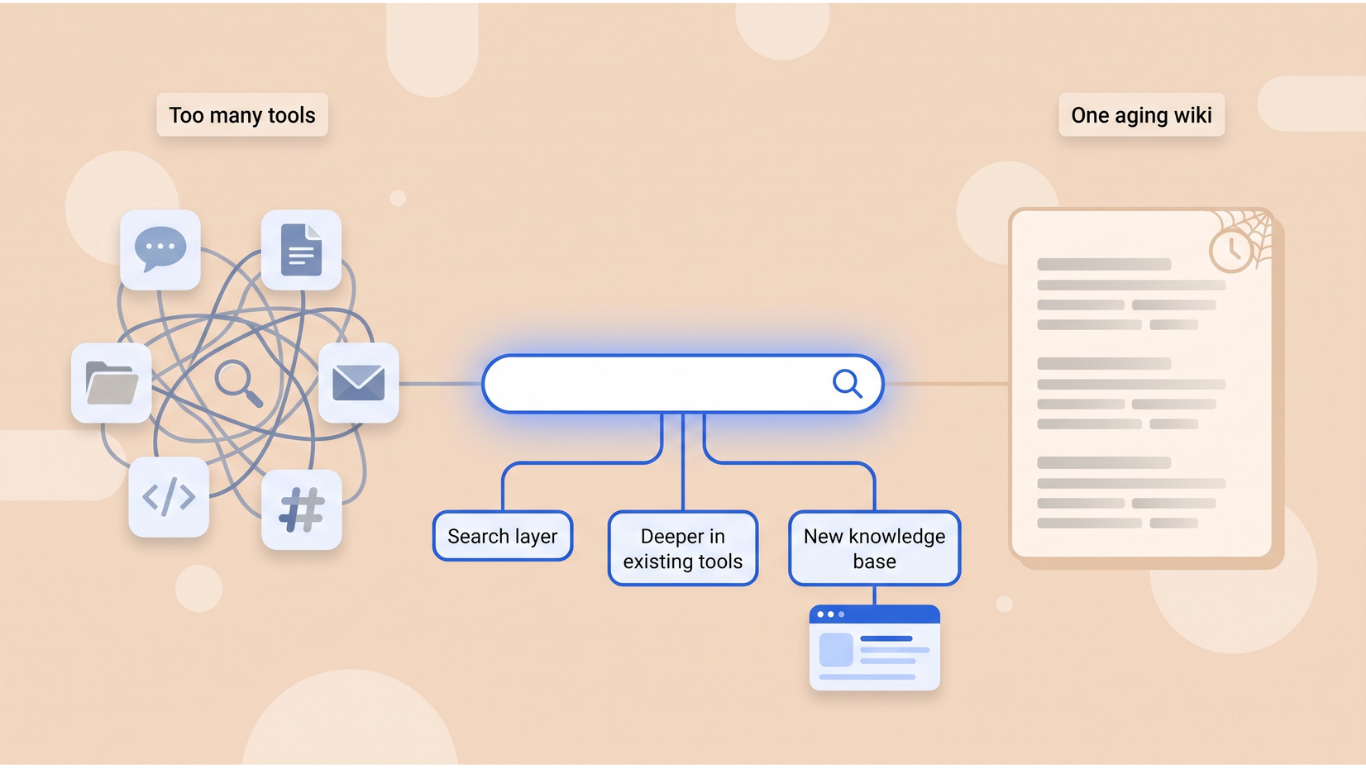
Ask yourself one blunt question: Is knowledge scattered across too many apps, or has it gone stale inside one aging wiki? Your answer points to three clear options: bolt on a dedicated search layer, deepen the tools you already use, or replace the knowledge base outright. The rest of this guide compares four products and shows exactly when each path shines.
Enterprise Search Software at a Glance
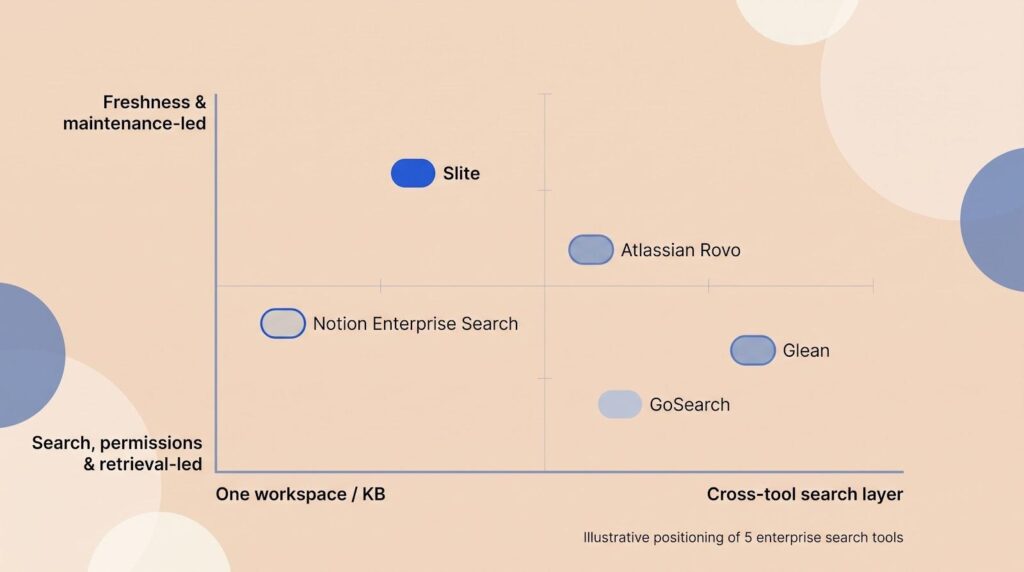
Use this matrix to compare where each product excels, how it keeps information fresh, its entry price, and the point where it usually stops fitting a growing team.
| Tool | Best fit | Search + freshness model | Public starting price | Stops fitting when |
| Slite | Search answers that stay correct as the company changes | Detect → suggest → human-approve updates across Slite plus 20 connected apps | $10 per user per month (Basic) · $20 per user per month (Pro) | You need on-prem hosting, OCR, Microsoft Teams, or governance for more than 1 000 seats |
| Glean | Permission-aware search across many SaaS tools | AI-ranked results from 250+ connectors, personalized by activity graph | Custom quote (price varies by seat count and connector mix) | The index is broad but the source docs have drifted |
| Atlassian Rovo | Teams already centered on Confluence and Jira | Teamwork Graph with third-party connectors; queries consume no extra credits | Included in Atlassian Cloud Standard, Premium, and Enterprise plans | Your core work happens outside Atlassian Cloud |
| Notion Enterprise Search | One workspace for docs, projects, and search | Notion graph plus selected external sources; verified pages curb drift | $20 per user per month (Business) | You want a neutral search layer instead of an all-in-one workspace |
Use the grid as a reference while you explore each tool in depth below.
- Slite: Best When Knowledge Freshness Is the Search Problem
Slite launched in 2016 and shipped AI search in February 2023. Slite Agent, added in June 2026, turns the product into a self-maintaining knowledge base for teams that need drift detected, fixes drafted, and every change approved by a human. The agent runs on a three-step loop: Detect → Act → Control.
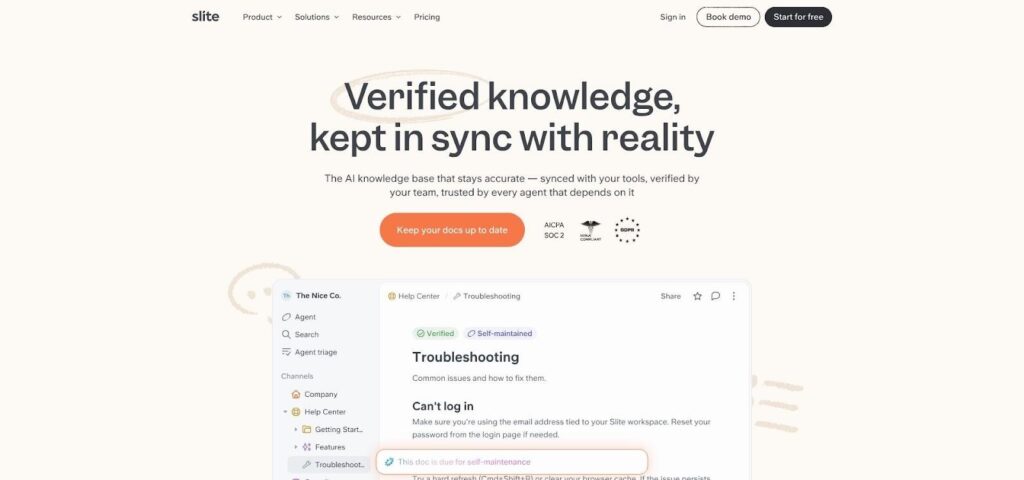
Slite enterprise search and Agent UI screenshot
- Detect: scans Slite docs plus Slack, Linear, GitHub, Intercom, and 20 other tools to find stale or missing pages
- Act: drafts updates, writes new docs, merges duplicates, restructures sections, renames, archives, and changes ownership through the Slite MCP
- Control: routes every proposal to a Triage UI for human review, so nothing is applied automatically and content remains trustworthy
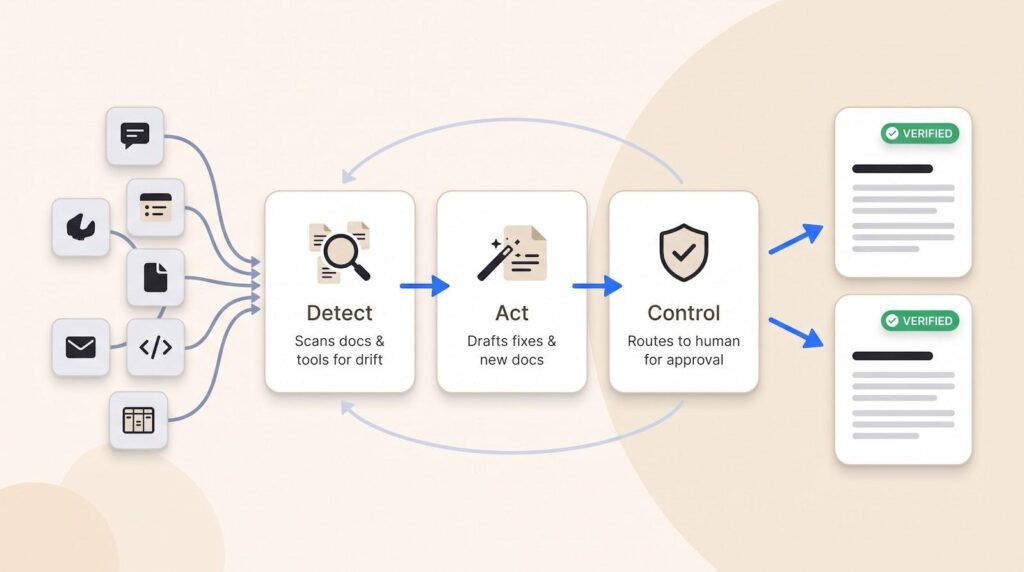
That loop is what separates an AI agent wiki from a search box bolted onto old content: the documentation stays in sync for humans to trust and AI agents to act on.
Employees can ask questions with AI Ask. On the Basic plan the engine searches only Slite docs; Pro and Enterprise add cross-tool search. When no answer exists, the system states that plainly, prompting the team to fill the gap instead of guessing. For teams choosing the best knowledge base for AI agents to pull from, that refusal to invent matters more than raw index size—a bot that admits a gap is safer than one that fills it.
Pricing (14-day free trial, no credit card):
- Basic: $10 per user per month billed yearly ($12 billed monthly). Includes in-Slite hygiene, always-on verification, and major-change protection.
- Pro: $20 per user per month billed yearly ($25 billed monthly). Adds Slite Agent, cross-tool search, agent workflows, 50 agent credits per seat per month, and HIPAA compliance.
- Enterprise: custom quote with reader-only seats, SSO / SCIM, and custom data-retention rules.
Slite holds SOC 2 Type II and GDPR certifications and offers EU hosting (servers in Belgium).
The product stops fitting when a workspace exceeds 1000 seats, requires on-prem hosting, relies on Microsoft Teams, or must index large file stores like Dropbox with native OCR. Until then it stays a quick way to keep knowledge fresh and easy to find.
- Glean: Best for Broad, Permission-Aware Cross-Tool Search
Glean is a dedicated enterprise search layer for growing companies whose permissioned knowledge lives across many workplace apps. It connects to more than 250 sources, inherits every source permission, and indexes content on a rolling schedule so new documents appear in results within about five minutes.
Think of the results page as a personalized feed. Glean ranks what you have touched, who you work with, and which files your teammates already trust. Ask a question and you see cited snippets, quick actions, and an Ask Glean summary that threads multiple documents into one clear reply.
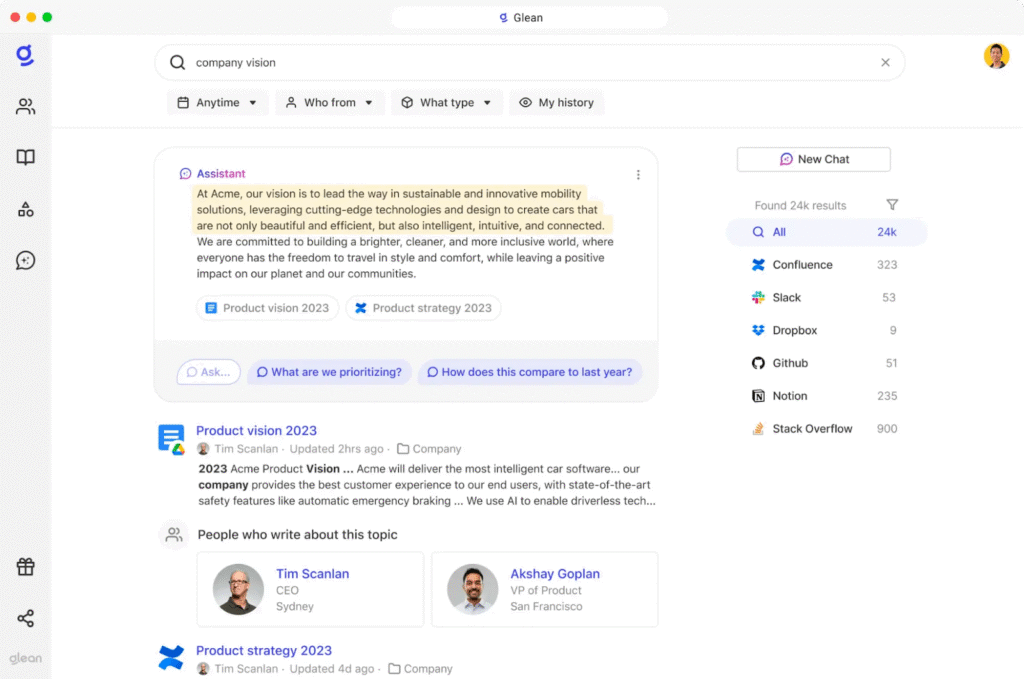
Glean enterprise search results and Ask Glean summary screenshot
Titles, body text, comments, and attachment metadata all stream into a transformer-based index that weights context, recency, and relationship strength. The result is fewer dead-end searches and far fewer “does anyone have that link?” messages.
Pricing is sales-led. Expect a custom quote, a brief security review, and a rollout sized to your seat count and connector mix. Similar customers report mid-to-high double-digit dollars per user per month, but final terms depend on volume.
Choose Glean when your content is trustworthy and the problem is purely that nobody can find it — breadth of reach is where it wins outright. What Glean does not do is fix the source: it ranks a stale page as confidently as a current one, because ranking and accuracy are different jobs. For a deeper feature breakdown, see our in-depth Glean review.
- Atlassian Rovo: Best for Confluence- and Jira-Centered Teams
Atlassian Rovo is the ecosystem-native search choice for growing teams already centered on Confluence, Jira, and the wider Atlassian Cloud. Because it ships with Standard, Premium, and Enterprise Cloud plans, there is nothing new to buy, install, or secure.
Rovo Search crawls your Teamwork Graph (pages, issues, comments, and inline tasks) and blends those results with permission-aware hits from Slack, Google Drive, and Figma. A built-in Rovo Chat plus optional agents let you ask follow-up questions without leaving the window. Usage draws from a pooled monthly allowance of 25, 70, or 150 credits per user, and today every standard query consumes zero credits.
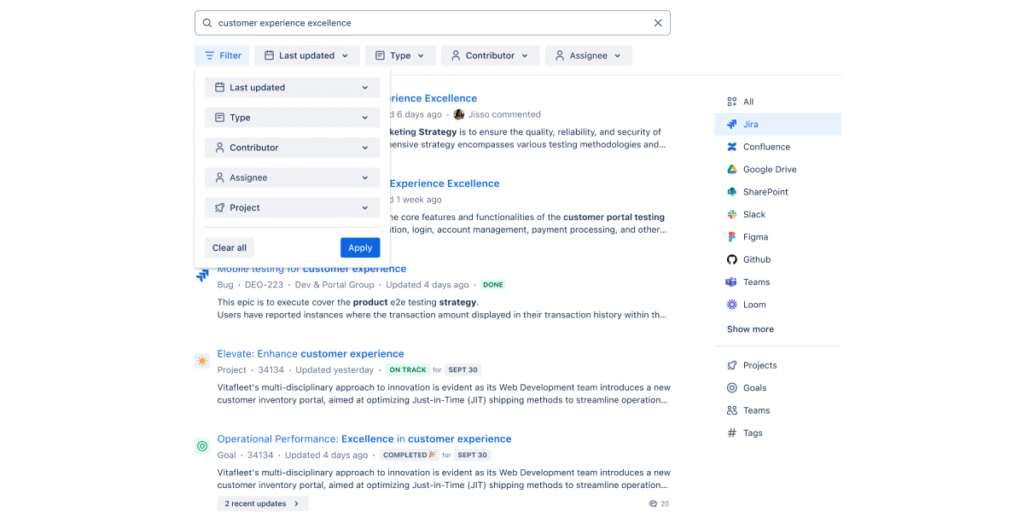
Atlassian Rovo search and Rovo Chat interface screenshot
The tight link to Atlassian’s identity layer keeps results in line with original permissions. Add a new hire to the right group, and that person’s search feed updates in under a minute with no extra admin work.
Choose Rovo when Atlassian already anchors daily work. It stops fitting if you plan to reduce Confluence or Jira usage or if critical content lives outside the Atlassian Cloud universe.
- Notion Enterprise Search: Best for Teams That Want One Workspace
Notion Enterprise Search suits growing teams that prefer company search inside the same workspace they already use for documents, projects, and AI. A new Search tab in the sidebar covers Notion pages and six external sources including Slack, Google Drive, GitHub, Jira, Outlook, and OneDrive. Results respect existing permissions and appear threaded with page comments, so follow-up stays in context rather than shifting to a separate chat tool.
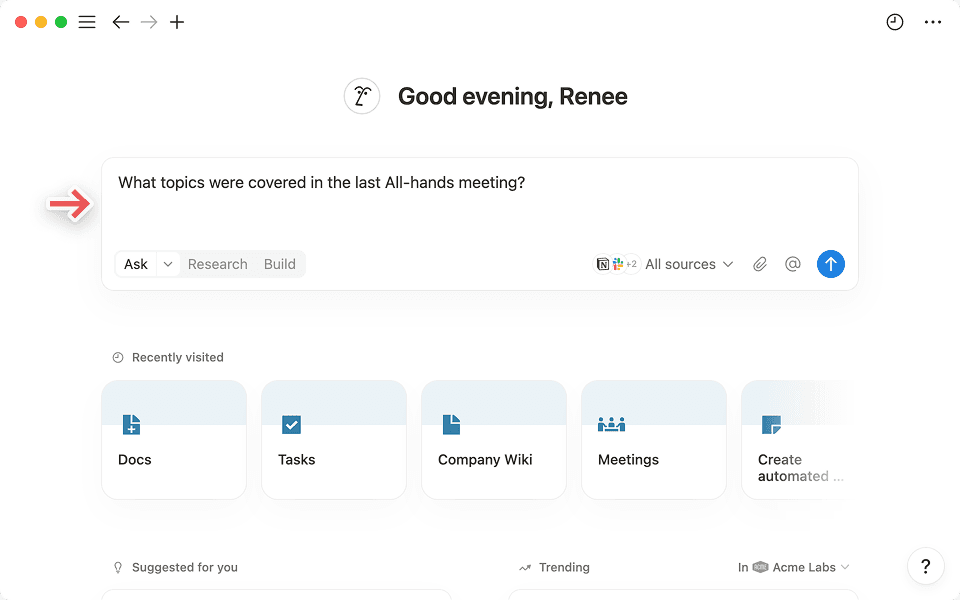
Notion Enterprise Search tab and results workspace screenshot
Admins can mark important pages as verified and set expiry reminders, cutting drift without a full wiki rebuild. Add Notion AI to receive cited, in-page summaries that link back to every source.
Pricing is straightforward: Business is $20 per user per month and adds external connectors (currently in open beta). Enterprise layers on SAML, SCIM, and advanced audit logs.
Choose Notion when you want fewer tools, not more. It stops fitting if your culture favors a neutral search layer or if essential work happens outside the Notion workspace.
Conclusion
Each tool gives growing teams a distinct path to faster, more reliable knowledge discovery. Match your choice to the problems—freshness, permissions, or consolidation—that slow you down most today.