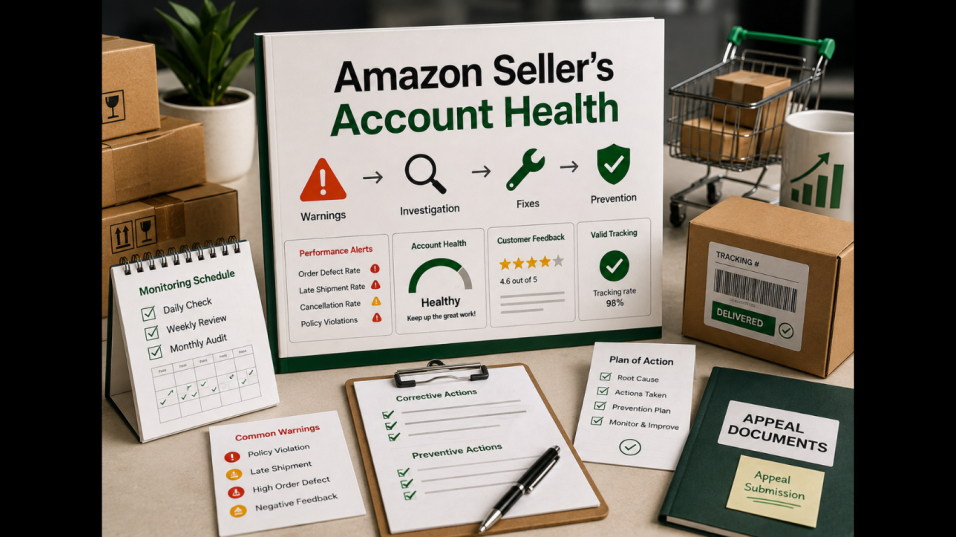
Selling on Amazon is not only about finding profitable products and making sales. Once your store gains traction, you also need to watch one key area closely: Amazon account health.
A seller can generate strong sales and still face problems from late shipments, wrong products, listing violations, or poor performance metrics.
These issues rarely appear without warning. There are usually signs before they become serious.
Successful sellers are not perfect. They are the ones who monitor their accounts regularly and know what to fix when problems appear.
What “Account Health” Actually Measures
Amazon account health shows how well sellers meet marketplace standards. It covers policy compliance, order performance, customer experience, and seller responsibilities.
Key areas include:
- Order defects
- Late shipments
- Valid tracking
- Cancellations
- Customer complaints
- Policy violations
- Product authenticity issues
- Listing problems
The Metrics That Trigger Warnings
To protect your account, you need to know which issues can trigger warnings.
Order Defects
Negative feedback, A-to-z Guarantee claims, and customer disputes can hurt performance. One issue may not cause major damage, but repeated problems need fast action.
Late Shipments
For seller-fulfilled orders, on-time shipping is critical. Repeated delays can signal weak fulfillment processes.
Valid Tracking
Accurate tracking helps Amazon and customers follow shipments. Missing or invalid tracking can become a problem when it happens often.
Cancellations
Frequent seller-initiated cancellations may point to inventory or fulfillment issues. If unavailable products keep selling, your inventory process needs review.
Policy Violations
Policy issues can be more serious than shipping problems. Listing violations, restricted products, IP complaints, and authenticity concerns can put the account at risk.
The key lesson is simple: do not wait for a suspension before taking account health seriously.
Early Signs Your Account Is at Risk
Many sellers focus on the warning, not the issues that caused it. Rising complaints, shipping delays, cancellations, and policy notices can all point to deeper business problems.
Watch for patterns such as:
- Repeated customer complaints.
- Frequent stockouts.
- Late tracking uploads.
- Growing fulfillment delays.
- Unanswered customer messages.
- Similar policy warnings.
- Sudden increases in negative feedback.
How to Respond to a Suspension: Appeal + Plan of Action
If Amazon suspends your account, avoid an emotional response. A long explanation about unfair treatment will not fix the issue.
Amazon usually wants three answers:
- What happened?
- Why did it happen?
- What have you changed to prevent it from happening again?
1. Identify the Root Cause
Then check affected orders, listings, complaints, supplier records, and fulfillment history. Review the affected orders, listings, customer complaints.
2. Explain the Corrective Action
Describe what you have already fixed. For example, if cancellations came from inventory errors, explain how inventory tracking was updated.
3. Explain Preventive Measures
This is where your plan needs to go beyond “we will be more careful.”
Describe the actual process you’re putting in place.
That could include:
- Daily inventory checks
- Listing audits
- Supplier verification
- Order monitoring
- Tracking verification
- Staff training
- Regular account-health reviews
The strongest Amazon plan of action responses are specific, practical, and focused on prevention.
Prevention Is Better Than Writing an Appeal
An appeal can help after a suspension, but prevention is better.
Treat account health as an operational task, not something checked once in a while.
Create a simple routine:
Daily
Check warnings, messages, order issues, cancellations, and fulfillment exceptions.
Weekly
Review performance trends, open cases, inventory issues, and repeated complaints.
Monthly
Look for patterns across products, suppliers, fulfillment, and support tickets.
Who Monitors This Daily?
Small sellers may handle monitoring themselves. As order volume grows, this becomes harder.
Someone should regularly check:
- Seller Central notifications
- Order exceptions
- Inventory levels
- Tracking updates
- Customer messages
- Returns and refunds
- Listing issues
- Account-health metrics
Build an Account Health Routine That Scales
As your Amazon operation grows, memory is not enough.
Use a simple workflow:
Monitor → Identify → Investigate → Fix → Document → Prevent
When an issue appears, do more than fix it once. Record the cause, the action taken, and how to prevent it next time.
Final Thoughts
Amazon account health should not become a priority only after a suspension warning.
Strong performance depends on fulfillment, customer service, inventory control, policy compliance, and daily operations.
An Amazon appeal letter and plan of action can help explain how a problem was fixed. But it is better to build monitoring systems that catch issues early.
As your business grows, an Amazon virtual assistant can help manage daily checks and routine operational tasks without requiring you to stay inside Seller Central all day.
Article received via email